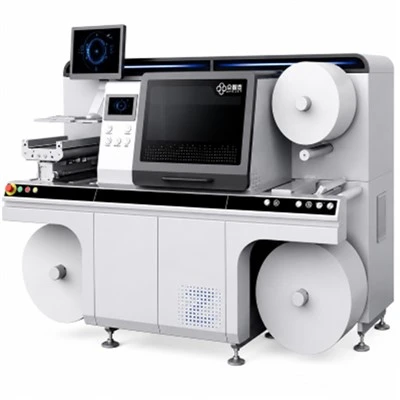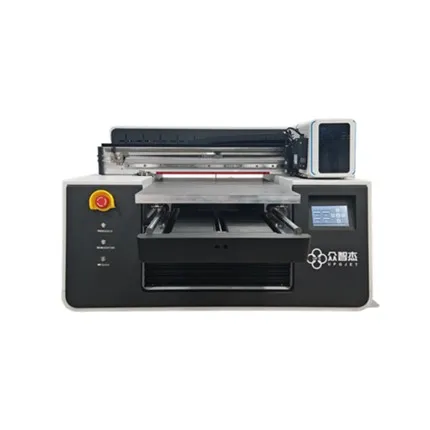

It is almost inevitable that an ink-jet printer become malfunctioned in course of "serving" us for a long time. In order to ensure that your ink-jet printers can work efficiently, we have summarized several frequent faults of ink-jet printers and their solutions so that you can carry out targeted and rapid troubleshooting once similar problems occur in the future.
Fault 1
Is it normal for a ink-jet printer to perform an auto-cleaning operation almost everyday?
Ink-jet printers generally do not automatically clean their print heads frequently. If we are unfortunate enough to encounter this phenomenon, it is most likely that the control circuit of the ink-jet printer has failed.
The automatic cleaning operation of print head is performed only when required by program settings or actual usage. If it occurs frequently or relentlessly, it is very likely that the controlling program for print heads in the printer goes into disorder, thus we must send it to a professional repair station promptly.
Considering that ink-jet printers are relatively sophisticated integrated electromechanic devices, the control chip of its motherboard cannot accurately perform operations of paper feeding, paper output and print head movement and print the content of the target material accurately and correctly in the corresponding print paper ultimately without the cooperation of various precision mechanical accessories.
The print head needs to be cleaned frequently is not necessarily the problem of the print head itself. There's also probability that the ink supply system, ink putout system or even the printing control circuit related to printing process have failed. All these factors can lead to frequent cleaning operations of the print head.
Fault 2
After the ink-jet printer adopted continuous ink supply, the print head was damaged, so I used a different model of the same type to replace it. Is such a replacement feasible?
Print head is one of the most precise and important components in ink-jet printer equipment. In addition to the very strict process flow and production environment in the manufacturing process, it also has strict requirements for storage, transportation, installation, replacement and other links. Any non-standard and inappropriate operation may lead to serious damage to the quality of the print head or even direct scrapping.
Although for many ink-jet printer models, the print heads from the same brands may be interchangeable with each other, we have to manually replace and install it, which often requires high-precision operations. Therefore, we should never arbitrarily use other types of ink-jet print heads for replacement to avoid damaging it, thus causing unnecessary economic losses to ourselves.
Fault 3
When using an ink-jet printer to print black and white documents, colored horizontal lines are often found in the printed page, and these lines appear to be irregularly arranged.
When we encounter phenomena such as incorrect output color, ink leakage, print head blockage, or colored horizontal lines when printing black and white documents, we can roughly determine that the above phenomena are caused by the damage of the print head.
There are many reasons for the damage of a ink-jet print head, but in general they can be categorized into hard faults and soft faults. From the above description of the failure, we believe that it should be the physical damage of the print head, so you must send the ink-jet printer to the designated maintenance centre in time to replace it. If the print cartridge and the print head are integrated, you should not hesitate to replace the entire print cartridge.
Fault 4
The ink-jet printer can print a single sheet of paper, but if it print more than 2 sheets at the same time it would automatically stop printing, and meanwhile, the power indicator of the printer will keep flashing. When the user disconnects the power and then reconnects it, the print head will make a weird sound. Although the ink-jet printer can be reset normally, the above problems occur repeatedly.
Once the above phenomena are found, it is most likely that there are foreign objects accidentally enter the ink-jet printer, or that some mechanical parts of the printer become aged and worn out, thus cause the printing carriage unit not to run smoothly and even get stuck.
Therefore, in order to prolong the service life of the mechanical parts of the printer as much as possible, we suggest that you try to use paper of a relatively better quality when printing your materials, and you must close the upper cover of the ink-jet printer when using and placing it in order to avoid the impact of paper dust, air dust, etc. on the mechanical parts of the printer. If some printing parts are worn out and the printing carriage unit cannot operate normally, we should send the printer to the designated repair centre.
Fault 5
When the ink-jet printer starts self-test, the belt and motor of the carriage unit will make strange sounds. Moreover, this phenomenon occurs every time the printer is started, but everything is fine with it during the process of printing. Is this phenomenon normal?
Actually, it is not normal. Although the ink-jet printer may make a sound during operation, there should be no abnormal noise between the belt and the motor of the printing carriage. Once we encounter such phenomenon, we should first check carefully whether there is any foreign matter accidentally entering the interior of the printer. If it's true, it can often increase the operating load of carriage unit and motor and other related components, or scratch the carriage belt. In this case, we might as well carefully refer to the installation manual built into the printer to carefully remove the foreign matter. If we find that the object inside have entered a deep position or have become stuck, we must hire professional maintenance personnel to repair it.
It is necessary to remind you that the reason why your ink-jet printer has such printing failures is probably that you have used a continuous ink supply system and compatible ink cartridges of low quality, which can cause ink leakage accidents easily. And the leaked printing ink will increase the running resistance of the mechanical parts of the printer, while the extra pipeline of the ink-jet printer using the continuous ink supply system will also bring additional burden to the printing carriage and printing motor.
Fault 6
The ink-jet printer prints out discontinuous bars of color. When printing the test page, I found that there is a problem with the distribution of the blue and light blue color blocks--the position is not correct, and I'm not sure which hole is the problem.
There are 2 probable reasons for such faults. The first one is that there is a problem with your ink cartridge, either low ink or non-genuine. The other one is that your printer may has been used for a long time, and its components such as the pump and pump accessories are worn out, resulting in incomplete sealing. The way to solve the problem is first to check whether the ink cartridge is installed in the right position.
Users can install ink cartridges according to the User Manual and Ink cartridge installation sequence marked on the printer body. When there is a broken line on the sample sheet used to detect the nozzle hole, you can have the machine perform one or two cleaning operations.(The cleaning operation will consume a certain amount of ink, so we recommend that the cleaning operation should not be performed more than 3 times. In addition, in order to improve the cleaning efficiency, you can also try to stand the printer for a period of time between each cleaning operation.) If the cleaning operation does not work, then you have to send the printer to a repair center for repair.
Fault 7
When the ink-jet printer loaded the print driver online, the computer system popped up a prompt telling us that the printer device cannot be found. I carefully checked the printer power supply and connection, and found that they are all right. I have also replaced a new print data cable, and surely the printer driver used is downloaded from the official website. When I tried to skip the printer check and loaded the print driver, the printer failed to print and said there is an unknown error.
When encountering the above-mentioned ink-jet printer failure, we might as well check the printer driver carefully first. Enter its property setting interface to see if the printing port setting is consistent with the actual printing port.
Generally speaking, we must carefully check the default printer port of the computer, and change it immediately if we find that the port does not match. Besides, program conflicts may occur during the installation of printers. For example, when the HP spray printer and the Epson needle printer are installed on the same computer at the same time, they are prone to be incompatible with each other. In this case, we can try to connect the faulty printer to other computers directly to find out whether the current fault is caused by printer hardware or software.
Fault 8
Sometimes the ink-jet printer does not produce ink during the working process, and when cleaning the print head, the ink light and the paper feed light in the control panel will be on for a long time, while other signal lights remain off. When pressing the paper feed light and ink light in the control panel by hand, there is no response.
This unfortunate failure is likely to be caused by the problem of the circuit part of the print head, or the head cable is accidentally disconnected so that the print head electrical signal cannot be transmitted normally. Generally speaking, this kind of printing failure is relatively complicated, and it is often impossible to solve it through ordinary inspection, so we need to send it to a professional maintenance center in time.